OpenStack is one of the leading open-source platforms for deploying and operating cloud infrastructures. A key aspect of using cloud resources is understanding and managing the costs involved. In this article, we explain why stopped instances continue to incur costs and how shelving instances can affect these costs.
OpenStack Services & Launching Instances
The provisioning and management of instances is handled by the OpenStack Compute service, also known as Nova. The Nova REST API serves as the main entry point, accessible via the OpenStack CLI or the graphical user interface, the Dashboard. However, creating an instance involves other OpenStack services as well, such as Placement for managing resource inventory, Glance as the image service, or Cinder for providing volumes. [1]
The terms launch and start are sometimes used interchangeably but actually refer to different processes. Launching an instance describes the entire creation process, including starting the instance. This can be done either through the OpenStack CLI using the command openstack server create or via the Dashboard. For reference, see also the blog post "Create a Network in OpenStack" which describes creating an instance after the initial network configuration, installing an Ubuntu image on ephemeral storage. This local storage is provisioned directly on the hypervisor, enabling fast storage access and lower latency compared to using Cinder volumes [2]. However, this storage is neither persistent nor replicated across multiple availability zones. Consequently, data is lost when the instance is deleted and may be temporarily unavailable if the host fails. To address this scenario, our cloud environment offers triple-replicated block storage with different storage classes, allowing bootable volumes to be created or non-bootable volumes to be attached to existing instances:
openstack server create - Parameters | Utilisation |
|---|---|
--block-device | e.g., attach a non-bootable volume [3] |
--image and --boot-from-volume | Create a bootable volume from an image |
--volume | Attach an existing bootable volume |
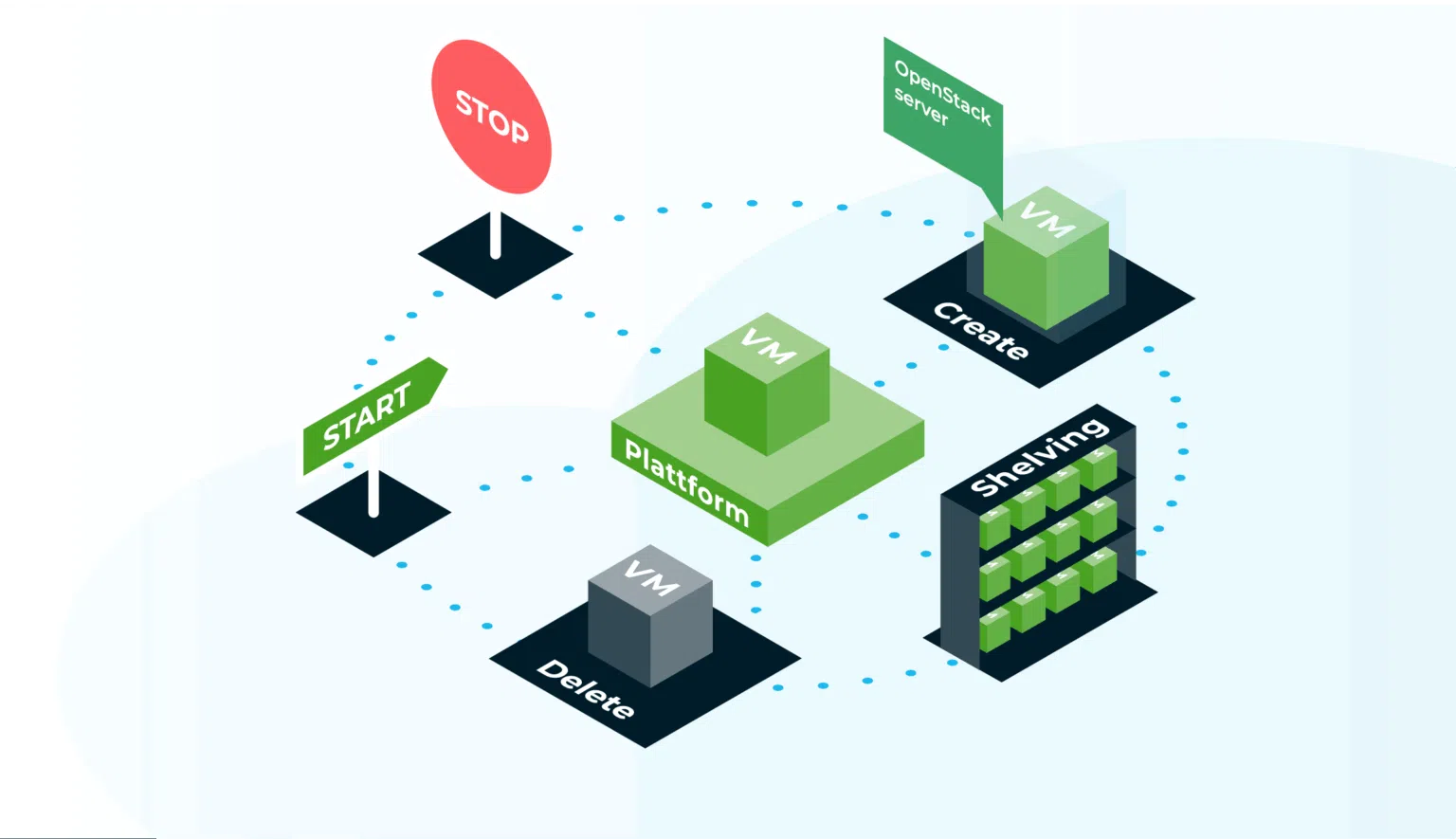
The instance then enters the ACTIVE state and, after stopping, the SHUTOFFstate. State changes triggered by events such as start, stop or deleteare recorded per instance by OpenStack Nova and can be viewed either with openstack server event list or in the instance’s Action Log in the Dashboard.
Lifecycle of an Instance
The lifecycle of an instance covers the period during which costs for the chosen flavor are incurred [4]. It begins with the event create, during which resources such as CPU, memory, and storage are allocated according to the selected flavor. These resources generally remain reserved until the end of the lifecycle, i.e., the deleteevent.
This means that pausing, stopping, or suspending instances with the pause, stop or suspend events does not release the resources. The assumption is that a stopped instance is only temporarily unused and will be restarted shortly. This ensures that resources remain reserved and that subsequent events such as unpause, start, and resume do not fail due to unavailable compute resources. Since reserved resources cannot be used by other instances, these costs continue to accrue. unpause, start and resume not fail due to a lack of compute resources. As reserved resources cannot be used by other instances, these costs are billed continuously.
Shelving: Freeing Resources & Preserving State
One way to free resources in OpenStack without deleting an instance is by shelving instances using openstack server shelveThis allows stopping and persisting an instance without continuing to reserve compute resources on the hypervisor. An instance in the SHELVED_OFFLOADED state discards all RAM contents but preserves the state of the root disk. During the SHELVED_OFFLOADED state only incurs costs in the amount of the occupied storage. Even in this state, the compute resources are counted towards the available quota. The shelving process varies depending on the type of data carrier: If the root disc is available as ephemeral storage, a snapshot is loaded into the Glance image library and then the ephemeral storage is deleted. When the instance is deleted, the associated image snapshot is also deleted. If, on the other hand, the root disc is in the form of a cinder volume, no snapshot needs to be created as the disc state is already persisted in this volume. If the instance is deleted, the volume is retained by default. Such instances are therefore also referred to as volume backed . [5]
In both cases, the instance can be brought back online with openstack server unshelve . It is not automatically assigned to its original hypervisor. Shelving an instance whose root disk is not on a volume can take significant time, as conversion processes and data transfer to the storage backend are required. Shelving an instance with a volume-backed root disk happens almost instantly. Using a bootable volume as the root disk offers advantages for on-demand cloud usage. Cinder volumes can be provisioned with different storage classes and performance levels. We are happy to help you choose the best option for your specific use case.
Matching products
Discover the right solution for this issue.